

Winter Digital Printer Maintenance Tips: Key Issues You Should Never Ignore
Winter Digital Printer Maintenance Tips: Key Issues You Should Never Ignore
(Professional Winter Maintenance Guide for UV Flatbed Printers, Eco-Solvent Printers, and Digital Textile Printers)
Every winter is the peak season for digital printing equipment failures. As temperatures drop, ink characteristics change; dry air increases static electricity; and unstable workshop temperature and humidity easily cause issues such as banding, overspray, color deviation, nozzle clogging, and printhead dropout.
For production-oriented factories, insufficient winter maintenance → doubled device failure rate → production delay → rising costs. Therefore, a correct winter maintenance routine is essential.
This article summarizes Baosiwei’s field experience from real customer service cases, covering temperature & humidity control, static protection, ink management, and printhead maintenance, providing you with a practical and long-term executable winter maintenance guide.
01 Maintain Proper Temperature & Humidity: Stability Starts From the Environment
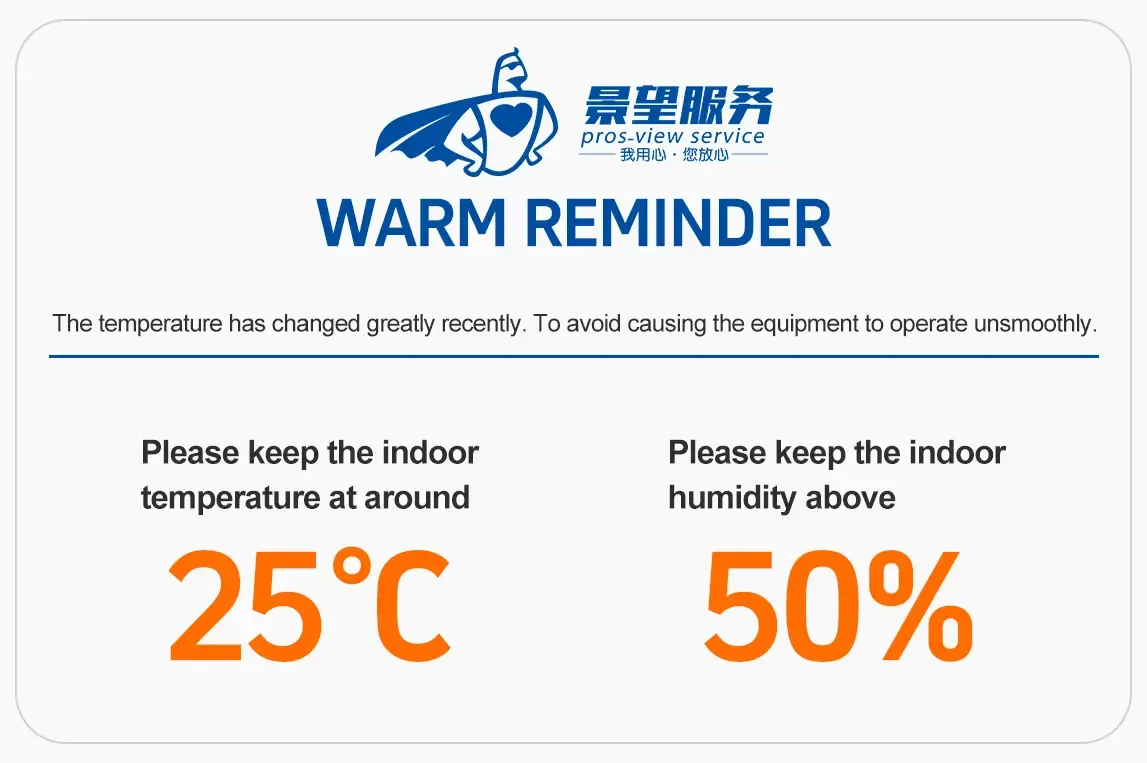
Temperature and humidity are the root causes of most winter failures.
● Recommended Workshop Temperature: Around 25°C
When the temperature is too low, ink viscosity increases and fluidity decreases. Micro-bubbles or localized condensation may form inside the printhead, leading to weak ink flow or nozzle blockage.
Practical Suggestions:
- Pre-heat the workshop using air conditioning to stabilize temperature around 25°C
- If the workshop is too cold, auxiliary heaters such as warm air blowers may be used
- Keep all heating devices at a safe distance from the printer — avoid direct airflow onto the printhead or ink supply system
● Recommended Workshop Humidity: ≥ 50%
Low winter humidity significantly increases static electricity. Based on thousands of Baosiwei service cases, insufficient humidity is the No.1 cause of winter overspray.
Maintaining proper humidity helps reduce:
- Overspray
- Fuzzy edges
- Band misalignment
- Printhead positioning errors
Practical methods:
- Place 1–2 humidifiers in the workshop
- Wet-mop the floor daily
- Avoid fully sealed spaces that create extremely dry zones
Data Reference (Baosiwei Case Statistics):
Workshops maintaining 50–60% humidity have 47% fewer printhead abnormalities in winter compared to workshops at 30–40%.
02 Static Protection: The Most Ignored Yet Most Dangerous Winter Problem
Winter static easily accumulates. Digital printers contain many sensitive electronic components, and high-precision inkjet positioning is extremely vulnerable to static interference.
Static electricity can cause:
- Overspray, banding
- Misalignment
- Uneven white ink layer
- Even damage to the printhead or mainboard (severe cases)
● Correct Grounding: The Core of Static Prevention
A stable grounding path is essential:
- Ground rod requirements: Length: 1 meter Material: steel rod (≥1 cm diameter) Depth: driven 1 meter into the soil Voltage between ground and neutral: within 1V
- Ground wire must be independent and not shared with other devices
- Regularly check for loose or oxidized ground wires
● Auxiliary Static Elimination Solutions
For workshops with low humidity in winter, consider:
- Static eliminator (most effective)
- Ionizing air blower
- Increasing humidity (most economical)
Baosiwei Technical Test Result:
Adding static elimination devices reduces overspray probability by 60%+.
For a deeper understanding of how winter static electricity impacts digital printers and how to eliminate static from the source, read our detailed guide:
→ “Comprehensive Winter Static Protection Guide for UV Printers | Baosiwei”
03 Ink Management: The Hidden Trigger of Winter Printhead Clogging
When temperature drops, ink viscosity increases and fluidity decreases, making the following issues more common:
- First print shows missing lines
- Ink dropout during printing
- Partial nozzle clogging
- White ink circulation becomes unstable
- Micro-bubbles appear in ink tubes
● Ink Selection
Use professional inks optimized for low-temperature fluidity.
Baosiwei UV ink, eco-solvent ink, sublimation ink, and other ink types are formulated with winter stability in mind — but proper storage temperature is still essential.
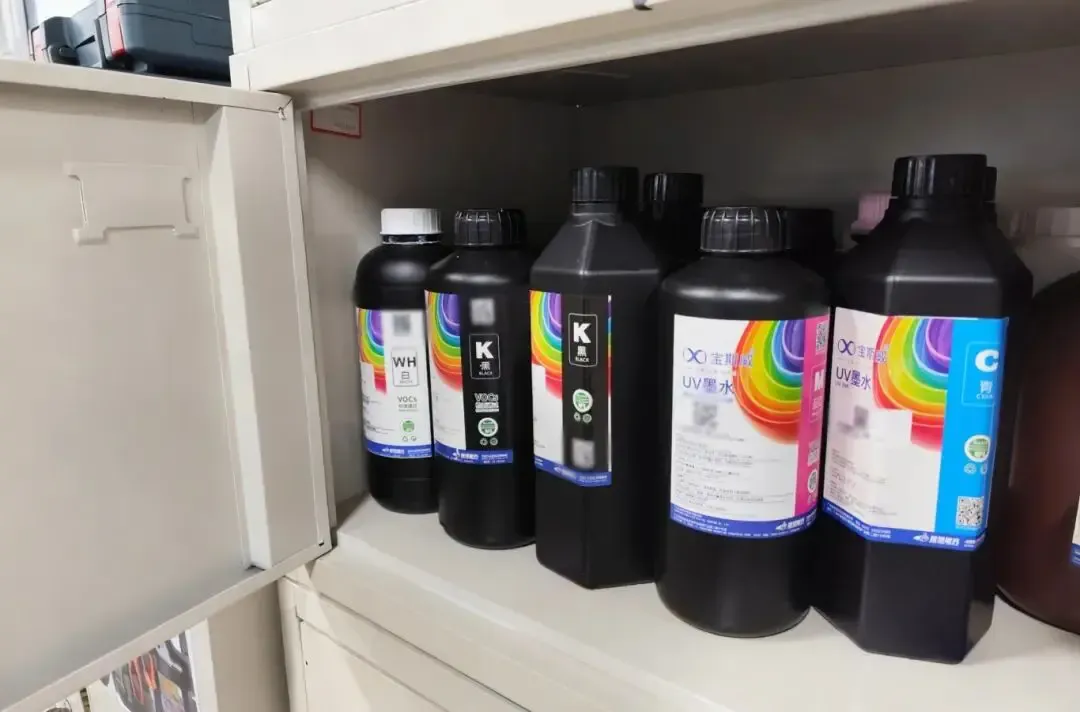
● Ink Storage Temperature
- Optimum: 15–26°C
- Do not store ink on the floor (cold zone)
- Avoid placing unopened ink near entrances or corners (large temperature fluctuation)
● After Opening the Ink
- Use within 1 month when possible
- Shake the white ink bottle gently once a week to prevent sedimentation
- Perform nozzle moisturizing and maintenance if the printer is idle for long periods
04 Printhead Maintenance: The Component Most Prone to Failure in Winter
Printheads are high-precision components; improper maintenance in winter easily leads to clogging or dry nozzles.
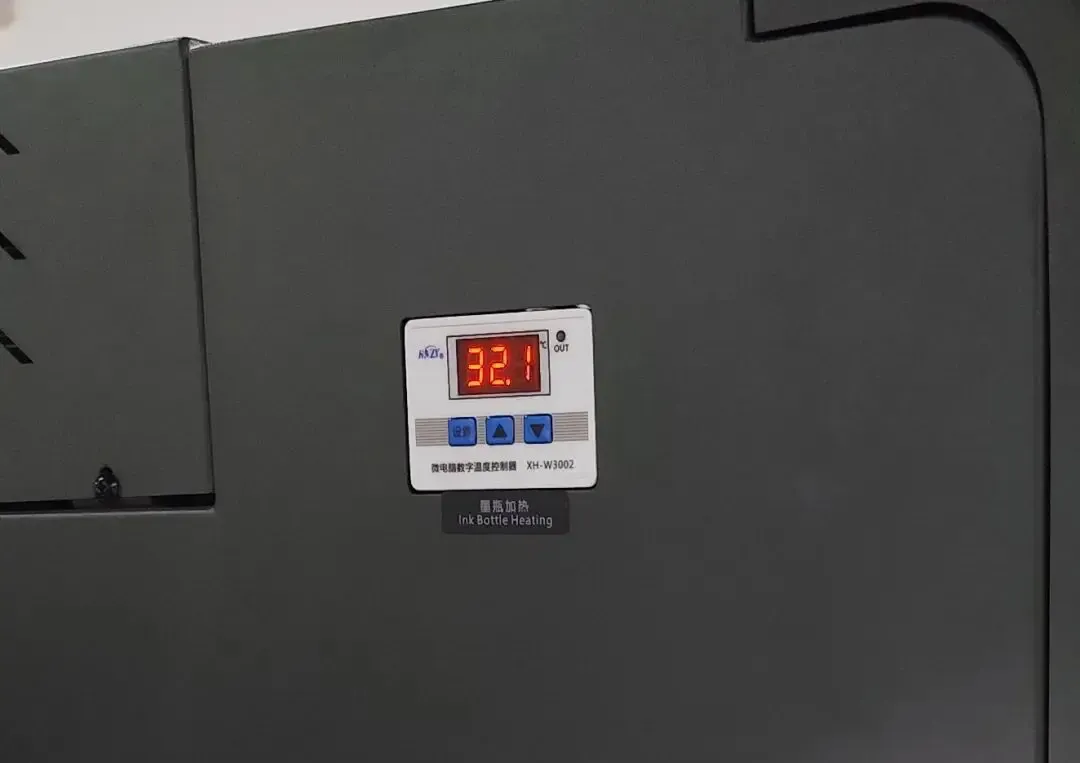
● Pre-Heating is Highly Important
Before winter printing:
- Turn on carriage heater
- Set P1 temperature to around 32°C
- Stabilize printhead temperature at 28–30°C
This significantly reduces ink dropout.
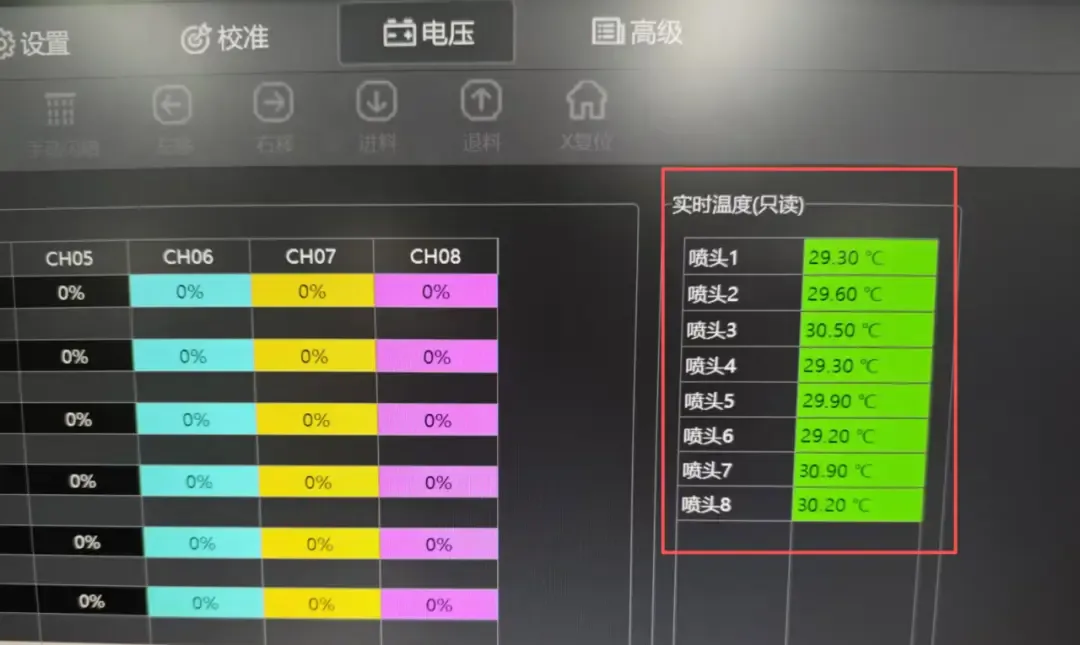
● Cleaning Printhead Surroundings (Very Critical)
Any ink residue, lint, dust, or static-attached particles around the printhead can affect jetting accuracy.
Key areas to clean:
- Printhead protection block
- Capping station
- Wiper
- Bottom plate around the carriage
Important:
Never wipe the printhead nozzle surface directly.
Recommended tools:
- Official cleaning solution
- Lint-free swabs
- Lint-free wipes
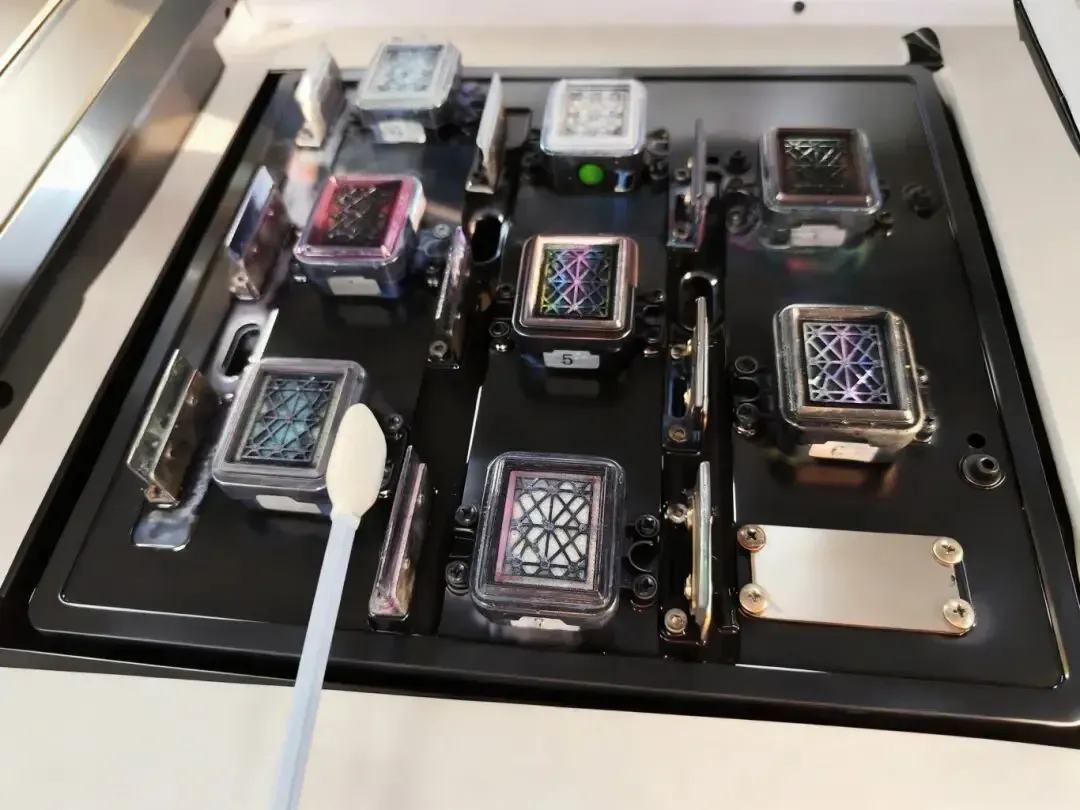
(Cleaning capping station)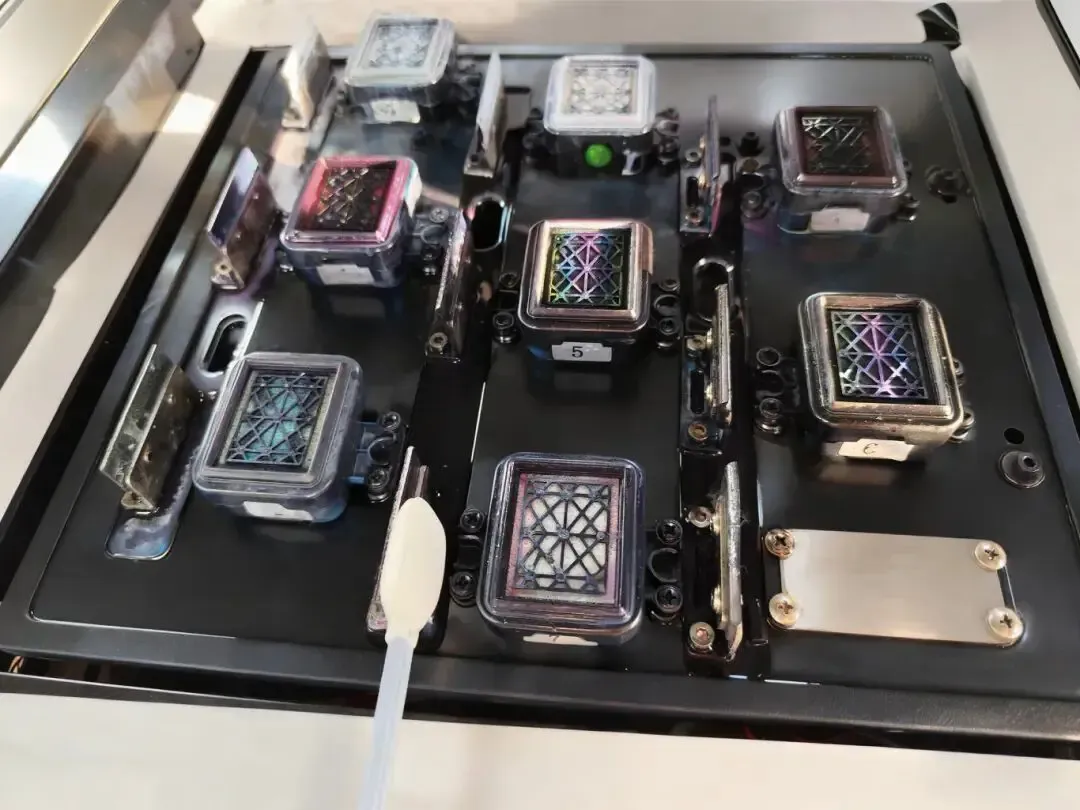
Image (Cleaning wiper)
Image (Cleaning printhead)
05 Common Winter Printing Issues & Troubleshooting Guide
| Issue | Possible Cause | Solution |
|---|---|---|
| Ink dropout / missing lines | Low temp, high viscosity, insufficient pre-heat | Heat environment, pre-heat to 28–30°C, check ink system |
| Overspray | Static electricity, low humidity | Add humidity, grounding, use static eliminator |
| First print shows missing color | Micro-condensation or bubbles | Perform moisturizing or light cleaning |
| Unstable color | Temperature fluctuation, unstable printhead temp | Stabilize workshop humidity/temperature, turn on heaters |
| Partial nozzle clog | Dryness, static, sedimentation | Clean surroundings, increase humidity, shake white ink |
Summary: Winter Maintenance = Protection, Summer Maintenance = Value Preservation
Based on Baosiwei’s years of technical service experience:
Over 70% of winter printhead failures come from temperature, humidity, and static electricity — all preventable.
By ensuring:
- Temperature at 25°C
- Humidity above 50%
- Proper grounding & static control
- Suitable ink & correct storage
- Regular cleaning & printhead moisturizing
Your printer will maintain stable performance and significantly reduce failures.
If your device already shows missing lines, clogging, or color abnormality, stop printing immediately to avoid further damage and contact professional technicians.