
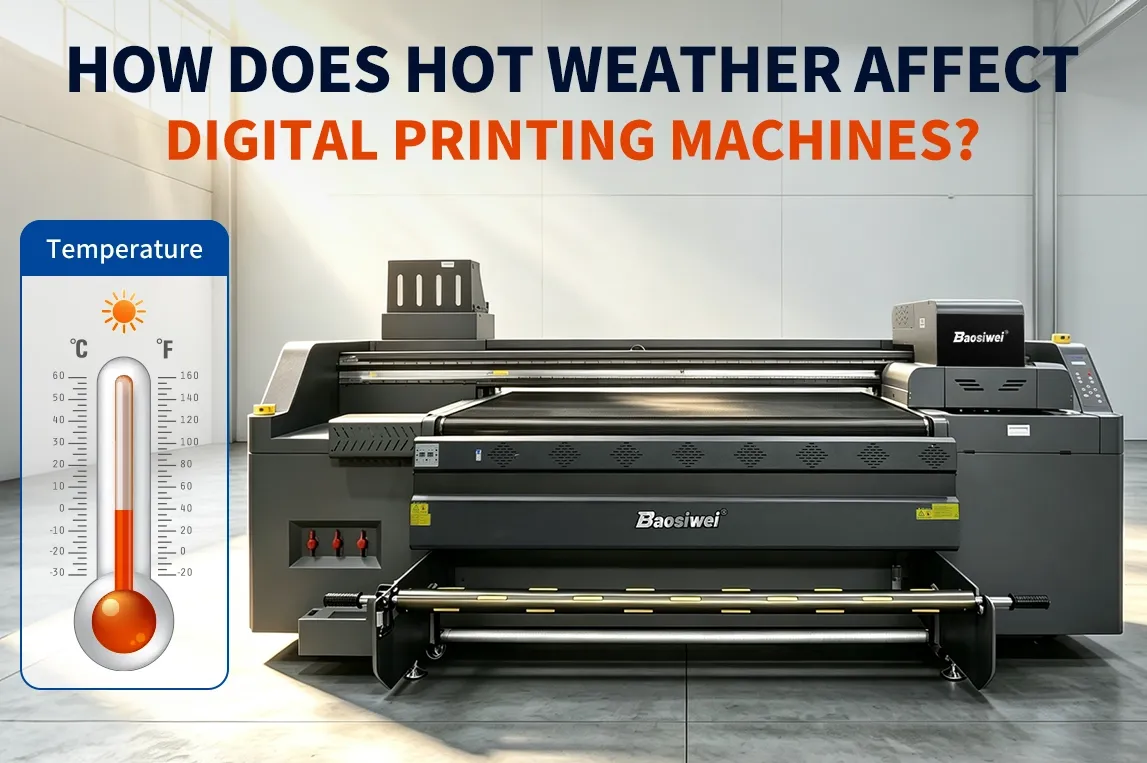
How Does Hot Weather Affect Digital Printing Machines? A Summer Maintenance Guide
How Does Hot Weather Affect Digital Printing Machines? A Summer Maintenance Guide
Summer heat can create more problems for a digital printing machine than simply making the workshop uncomfortable. When temperature and humidity move outside the recommended operating range, ink behavior can change, printheads may become more difficult to maintain, and electronic components can face additional thermal stress.
For printing factories running UV, eco-solvent, dye-sublimation, or other digital printing equipment, these issues can appear as clogged nozzles, missing ink, ink misting, inconsistent print quality, or unexpected machine alarms.
The good news is that many summer-related printing problems can be reduced through proper workshop management and daily maintenance. This guide explains why hot weather affects digital printers and provides practical maintenance steps that operators can apply during the summer production season.
Why Does Hot Weather Affect Digital Printing Machines?
The relationship between workshop conditions and printing quality is easy to overlook. Operators often focus on the printer itself, while temperature, humidity, ventilation, dust, and electricity supply can also affect machine stability.
When workshop temperatures become too high, several things can happen.
First, ink characteristics may change. Higher temperatures can accelerate evaporation and alter how ink behaves during printing. Depending on the ink system, this may contribute to unstable ink delivery or faster drying around the nozzle area.
Second, heat places additional stress on electronic components. Control boards, motors, power supplies, and other electrical components generate heat during normal operation. If the surrounding temperature is already high, the machine has less ability to dissipate that heat.
Third, low or unstable humidity can increase static electricity. Static can affect ink droplets as they leave the printhead, potentially contributing to ink misting, unwanted ink deposition, or image defects.
This is why summer maintenance should not focus only on cleaning the printhead. The entire printing environment needs to be considered.
What Happens If the Workshop Is Too Hot?
A printer operating in excessive heat may experience:
- Faster ink drying around the printhead
- Increased risk of nozzle blockage
- Unstable ink delivery
- Ink misting or unwanted ink spray
- Increased thermal load on electronic components
- Greater risk of static electricity
- Inconsistent print quality
However, these symptoms do not always mean that temperature is the only cause. Ink formulation, printhead condition, maintenance procedures, ventilation, dust, and machine configuration can also contribute.
For this reason, operators should treat workshop conditions as one part of the overall maintenance system.
Control Temperature and Humidity in the Printing Workshop
The first step in summer digital printer maintenance is controlling the working environment.
Rather than relying on fans alone, printing factories should establish a stable workshop environment based on the operating requirements specified by the printer and ink manufacturers.
For many digital printing systems, a relatively stable temperature and humidity environment is more important than simply achieving a low temperature for a short period.
Keep the Printer Away From Direct Sunlight
Direct sunlight can heat the machine surface, printing materials, and ink system unevenly.
A printer should ideally be installed:
- Indoors
- Away from direct sunlight
- In a well-ventilated area
- Away from heat-producing equipment
- On a stable floor with sufficient operating space
This is particularly important for factories with large windows or metal-roof workshops, where local temperatures can become considerably higher than the general room temperature.
Monitor Humidity, Not Just Temperature
Humidity is another important variable.
If the workshop becomes excessively dry, static electricity can become more noticeable, especially when printing synthetic materials or handling films, PVC, fabrics, and other materials with relatively high static sensitivity.
If the workshop is too humid, condensation and moisture-related problems may become concerns for some equipment and materials.
Therefore, a humidity meter and temperature monitor are simple but useful tools for a printing workshop.
Practical tip: Do not set environmental targets based on a generic number alone. Check the recommended environmental range for your specific printer, printhead, and ink system, and keep the workshop as stable as possible within that range.
Check the Printhead Before Starting Production
One of the simplest summer maintenance habits is also one of the most valuable: do not start a large production run immediately after powering on the printer.
Before beginning production, print a nozzle check or test pattern.
The purpose is to identify problems such as:
- Missing nozzles
- Broken lines
- Uneven ink output
- Deflected ink droplets
- Abnormal color channels
If the test pattern is abnormal, operators can perform the appropriate cleaning or maintenance procedure before production begins.
This is much safer than discovering a printhead problem after several hundred meters or dozens of sheets have already been printed.
Why Is This More Important in Hot Weather?
High temperatures can accelerate ink drying in areas exposed to air. If the machine has been idle overnight or for an extended period, the nozzle condition may not be the same as it was at the end of the previous production shift.
A quick nozzle check gives operators an opportunity to identify the problem early.
For factories handling high-volume orders, this small inspection can prevent a minor printhead issue from becoming a large batch of defective products.
How to Prevent Printhead Clogging and Ink Drying
Printhead maintenance is especially important during periods of high temperature.
A common mistake is to focus only on cleaning when a nozzle has already become blocked. Preventive maintenance is generally more effective.
1. Keep the Printhead Properly Capped During Idle Periods
When the printer is not producing, the printhead should return to its proper capping position according to the machine's operating procedure.
The capping system helps protect the nozzle surface and maintain an appropriate environment around the printhead.
If the printer is left idle without proper capping, ink around the nozzle area may dry more quickly.
2. Use the Correct Cleaning Procedure
Different printers use different ink systems and printheads. Cleaning frequency and cleaning fluid requirements should therefore follow the manufacturer's maintenance instructions.
Avoid repeatedly performing aggressive cleaning simply because the weather is hot.
Excessive cleaning can consume unnecessary ink and may not solve the underlying problem if the cause is related to ink supply, negative pressure, dampers, filters, capping components, or environmental conditions.
3. Check the Ink Supply System
If a printer shows repeated missing nozzles or unstable ink output, operators should not automatically assume that the printhead itself is damaged.
The ink supply system should also be checked.
Depending on the printer configuration, this may include:
- Ink tubes
- Dampers
- Filters
- Ink pumps
- Capping station
- Ink tank levels
- Negative pressure or ink pressure
- Waste ink system
A stable ink supply is essential for stable printing.
What Should You Do When the Printer Is Idle for a Long Time?
A printer that is not producing can still require maintenance.
This is particularly important during summer because prolonged exposure to high temperatures can accelerate drying around exposed ink paths and increase thermal stress on some components.
If the printer will be idle for an extended period, operators should follow the manufacturer's shutdown and storage procedure rather than simply switching off the main power.
A basic idle-period routine may include:
- Complete the required printhead cleaning procedure.
- Return the printhead to the capping position.
- Check whether the capping station is clean and functioning correctly.
- Make sure the ink system is in the recommended standby condition.
- Keep the machine away from direct sunlight and excessive heat.
- Maintain a stable workshop environment.
- Perform a nozzle check before restarting production.
The exact procedure will depend on the printer and ink system.
For example, a UV printer, eco-solvent printer, and dye-sublimation printer do not necessarily require identical shutdown procedures. Operators should therefore use the maintenance instructions supplied for their specific machine.
Reduce Electrical and Overheating Risks in Summer
Summer can also increase electrical risks in a printing workshop.
Air conditioners, compressors, laminators, cutting machines, dryers, and printers may all operate simultaneously. This can significantly increase the workshop's electrical load.
A digital printer should not share an overloaded power strip with multiple high-power devices.
Avoid Overloaded Power Strips
Where appropriate, the printer and its associated computer or control equipment should use a properly configured power supply.
Avoid connecting multiple high-power machines through a chain of extension cords or power strips.
If voltage instability, repeated machine alarms, unusual shutdowns, or overheating occurs, the electrical supply should be inspected by a qualified professional.
Keep Cooling and Ventilation Paths Clear
Do not place boxes, materials, or other objects directly against ventilation openings.
Dust accumulation around cooling fans and ventilation areas can also reduce heat dissipation.
Regularly checking and cleaning these areas according to the manufacturer's maintenance recommendations can help the machine maintain normal operating conditions.
A Practical Summer Maintenance Routine for Digital Printers
For printing factories, the most effective approach is usually not a complicated maintenance program. It is a consistent daily routine.
Before Production
- Check workshop temperature and humidity.
- Make sure the printer is not exposed to direct sunlight.
- Check ink levels and the ink supply system.
- Perform a nozzle check or test print.
- Inspect the printhead and capping area.
- Confirm that ventilation and cooling areas are unobstructed.
During Production
- Monitor unusual changes in print quality.
- Watch for ink misting or abnormal ink spray.
- Check whether the machine shows temperature or system alarms.
- Keep the workshop environment as stable as possible.
- Avoid unnecessary long periods of machine idling while powered on.
After Production
- Clean the machine according to the recommended procedure.
- Perform the required printhead maintenance.
- Return the printhead to the correct capping position.
- Check the waste ink system.
- Follow the manufacturer's shutdown procedure for extended downtime.
A consistent routine is usually more effective than waiting until a printer develops a serious fault.
FAQ
1. Does high temperature affect digital printing quality?
Yes. Excessive or unstable temperature can affect ink behavior, printhead maintenance, and the thermal load on electronic components. However, the actual impact depends on the printer, ink, printhead, and workshop conditions.
2. What temperature should a digital printing machine operate at?
There is no single temperature that applies to every digital printer. The recommended operating range should come from the printer and ink manufacturers. Operators should maintain a stable environment within the specified range rather than relying on a general industry number.
3. Why does my printhead clog more often in summer?
Higher temperatures can accelerate ink evaporation and drying around exposed nozzle areas. Low humidity and poor maintenance can further increase the risk. However, clogged nozzles can also result from ink quality, ink supply problems, capping system issues, contamination, or prolonged inactivity.
4. Can air conditioning help prevent printhead clogging?
A stable air-conditioned workshop can help maintain temperature and humidity within the recommended operating range. Air conditioning should not be viewed as a replacement for regular printhead and ink-system maintenance.
5. Should I perform a nozzle check every morning?
For production environments where print quality is critical, checking the nozzle condition before starting a major production run is a useful preventive practice. The exact frequency should follow the machine manufacturer's maintenance recommendations.
6. What should I do if the printer is not going to be used for several days?
Follow the manufacturer's extended-shutdown procedure. In general, the printhead should be properly maintained and capped, the ink system should be left in the recommended condition, and the machine should be kept in a stable environment away from excessive heat and direct sunlight.
7. Can static electricity affect digital printing?
Yes. Static electricity can influence ink droplets and material handling, particularly when printing certain synthetic materials or films. Maintaining suitable humidity and proper grounding can help reduce static-related problems.
Conclusion
Hot weather does not automatically mean that a digital printing machine will become unstable. In many cases, problems occur because high temperature, humidity changes, printhead maintenance, ink management, and electrical load are not considered together.
For printing factories, the most practical summer strategy is straightforward: maintain a stable workshop environment, keep the printer away from direct sunlight, check the nozzle condition before production, protect the printhead during idle periods, keep the ink system clean, and avoid electrical overload.
Different digital printing technologies and ink systems have different environmental and maintenance requirements. If you are planning to install a UV, eco-solvent, dye-sublimation, or other digital printing system, it is important to evaluate not only printing speed and resolution, but also the working environment, ink system, maintenance requirements, and production conditions.
If you are looking for a digital printing solution for your specific materials and production environment, contact Baosiwei to discuss your application and printing requirements.